
In many service and Contact Center scenarios, the value of AI isn’t about building the most advanced assistant; it’s about solving real problems quickly, reliably, and with minimal overhead.
In this blog post, I’ll share an SMS agent I’ve designed and deployed for a nationwide organization working with community outreach and health referral services, and where accessibility, trust, and simplicity matter just as much as automation.
The demo version shown here uses sales and support topics to keep the examples simple and relatable. In the real implementation for the client, the topics are tailored to health advice and referral pathways.
Next up is a declarative agent designed for the SMS channel. SMS is an asynchronous channel, and one practical constraint today is that it doesn’t support a native “welcome message trigger” on the channel itself. In other words: you can’t always rely on the channel to automatically initiate a greeting when a conversation starts.
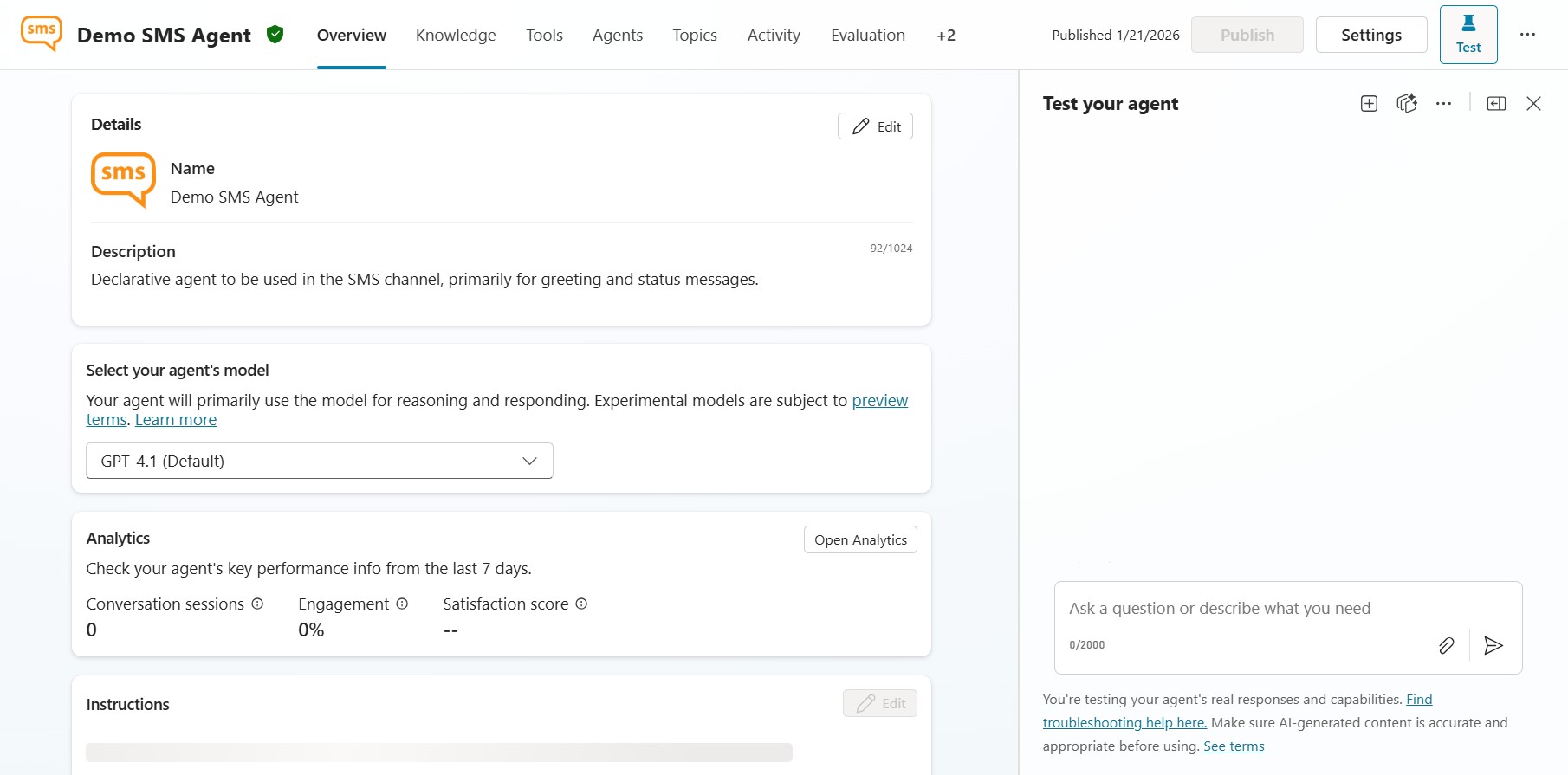
To solve that, this agent uses a simple and reliable pattern: capture context on entry, enrich it through a lightweight tool (an agent flow), and then personalize the response before handing the conversation off to the Contact Center.
Two topics and one tool: the minimal setup
This SMS agent uses two activated topics, and one of those triggers a tool in the form of an agent flow.
When an incoming SMS is received, the agent starts in the Conversation start topic.
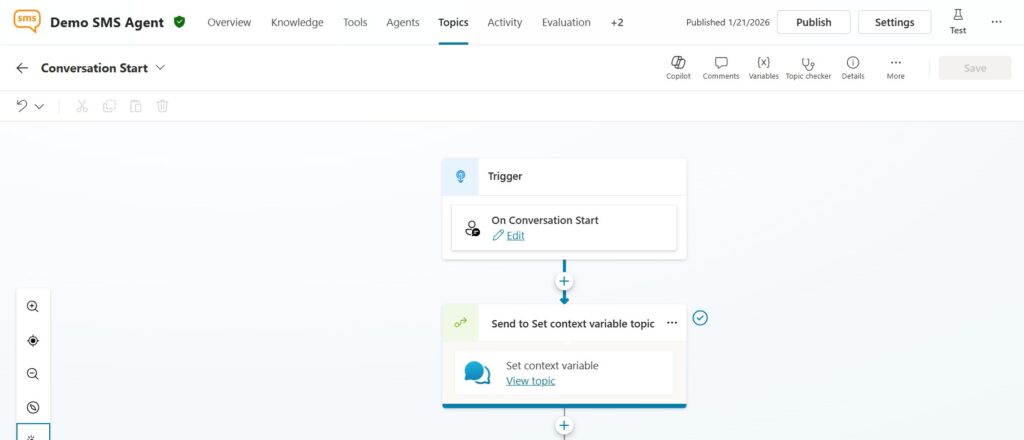
From there, it immediately navigates to a dedicated helper topic called Set context variable. The purpose of the Set context variable topic is to capture conversation context passed from the SMS session into Copilot Studio.
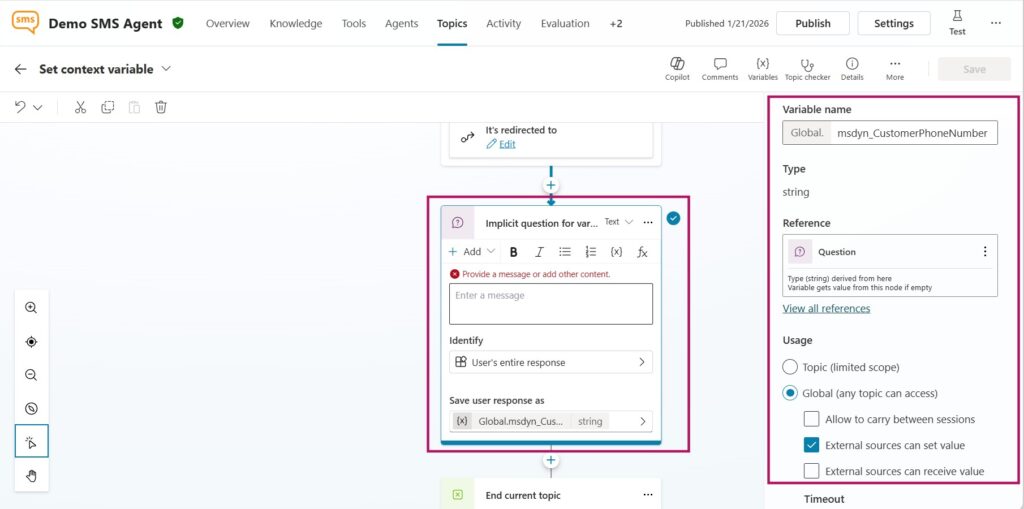
Because we’re not actually asking the user anything here, we use an implicit (silent) question node; essentially using the node as a container to read and store inbound values from an external source. To make this work, the variable is configured in Copilot Studio to allow external sources to set its value. The key variable in this scenario is msdyn_CustomerPhoneNumber
This is a conversation-level value that holds the phone number the incoming SMS was sent from. By creating an agent variable with the exact same name, the value is automatically transferred into the agent context without any extra logic.
Once the phone number has been captured, the helper topic ends and the conversation returns back to the Conversation start topic to continue the main flow.
Using an agent flow to check for active cases
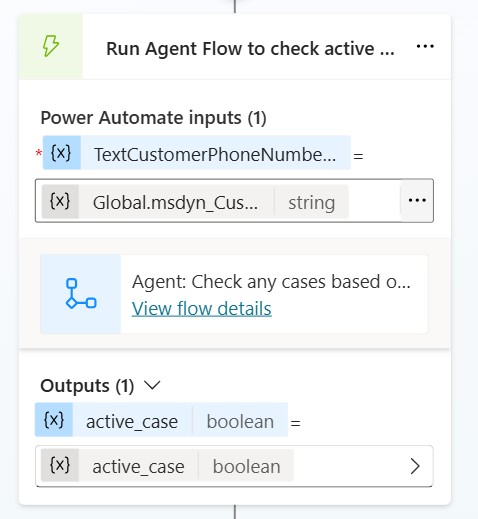
With the phone number now available, the agent triggers an agent flow and passes the customer phone number as input.
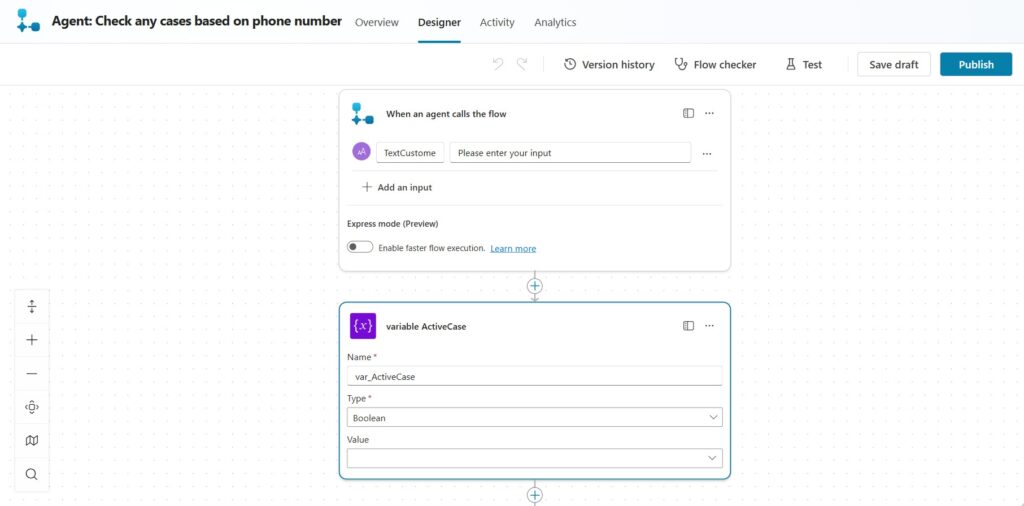
In the flow, we run a Dataverse query to check whether there are any active cases associated with that number
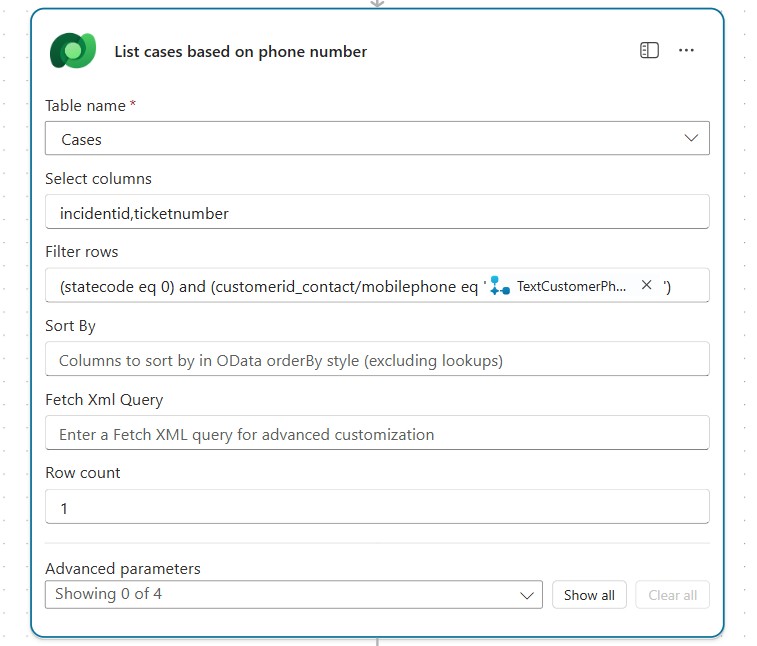
This is intentionally lightweight, but it’s also easy to expand. For example, you could retrieve:
- case number
- current case status
- last updated timestamp
- assigned team or service representative
- priority or SLA information
If the length of the returned output is greater than 0 = we found an active case; we set the earlier initialized variable var_ActiveCase to true. If no active was was found, the value is set to false.
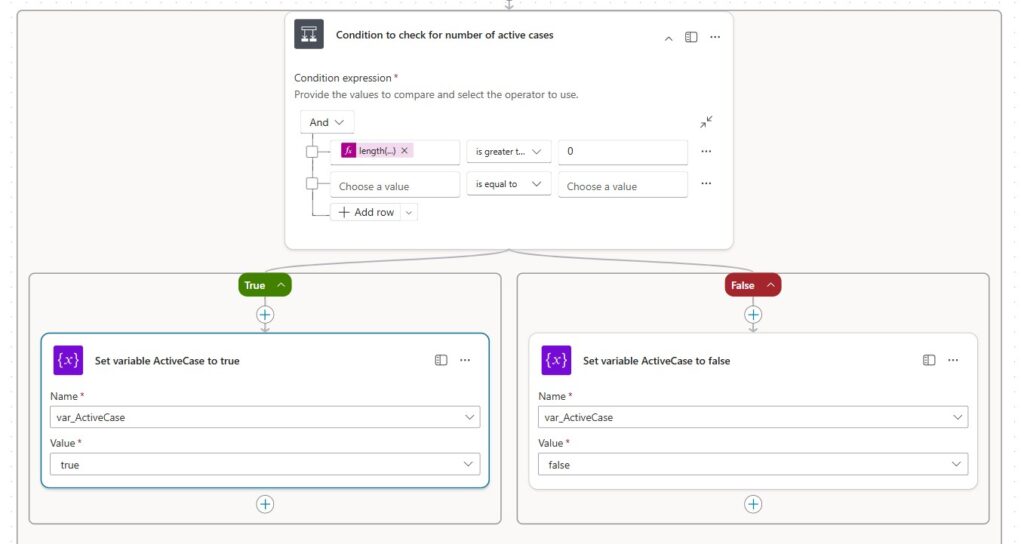
The flow then returns a simple result to the agent: the var_ActiveCase as a Boolean, indicating whether an active case exists.
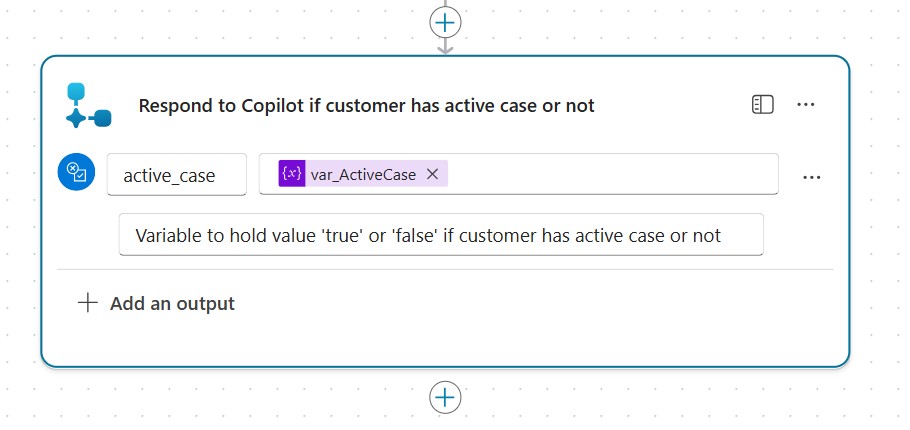
Back in the agent, we use that Boolean flag to drive a personalized response:
- If the customer has no active case, the agent sends a short welcome message.
- If the customer does have an active case, the agent can respond with a contextual update and prompt for next steps; for example using an Adaptive Card (depending on channel capability) or a structured set of reply options.
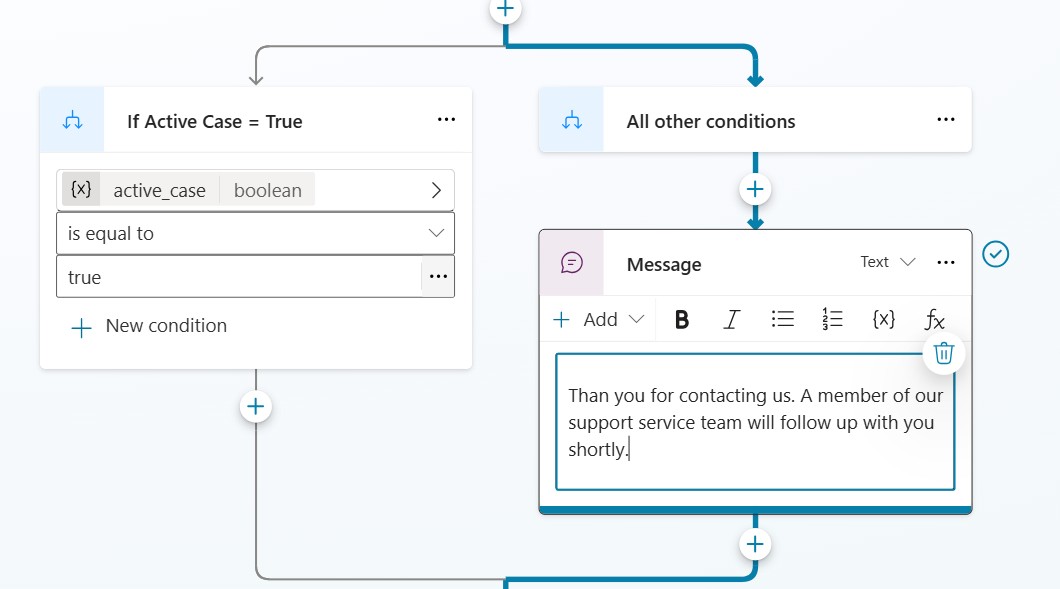
This is the real benefit of the pattern: the agent stays simple, but still feels “smart” because it uses existing case data to meet the customer where they are.
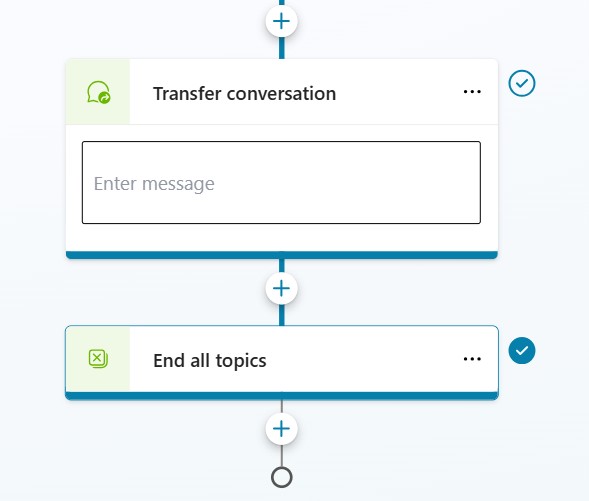
After the initial triage and messaging, the agent performs a handover and routes the SMS conversation into the appropriate Contact Center queue for manual handling by a service representative. This keeps the experience consistent: the customer gets an immediate response, the agent enriches the interaction with context, and the case can be handled by a human without losing continuity.
Lämna ett svar