
Forget the Release Wave PDF: Bring Microsoft’s roadmap into your AI agent with MRC MCP
For years, those of us working with Dynamics 365 and Power Platform have lived by the release waves. Twice a year, Microsoft published the next big batch of features and we started digging through the release plans looking for what was coming to the products we work with. That model has now changed.
Microsoft is retiring the twice-yearly release wave 1 / release wave 2 model. Starting in September 2026, new Dynamics 365, Power Platform, and Dataverse capabilities are instead published continuously to the Microsoft AI at Work roadmap as soon as Microsoft is ready to disclose them. Existing release plans will remain available for historical reference.
For me, that makes continuously keeping track of the roadmap considerably more important. And conveniently, Microsoft has also given us a rather interesting way of accessing it: the Microsoft Release Communications MCP Server.
What is the MRC MCP Server?
The Microsoft Release Communications (MRC) MCP Server is a Microsoft-hosted remote MCP server that gives AI clients programmatic access to the information behind:
- Microsoft AI at Work roadmap — formerly the Microsoft 365 Roadmap, which also includes updates on Copilot Studio
- Azure updates
Instead of browsing the roadmap, setting filters and opening individual roadmap items, an MCP-compatible AI client can query the information using natural language. The underlying release information is refreshed daily. Microsoft currently exposes four MCP tools for retrieving lists and individual items:
get_recent_azure_updates
get_azure_update_by_id
get_recent_roadmaps
get_roadmap_by_id
Another nice thing about MRC MCP is how easy it is to experiment with, especially for me as a non-developer. No authentication is required, and there is no separate license required to use the MRC MCP Server. It took me no more than 30 minutes to get it up and running for both GitHub Copilot in VS Code as well as in a new Copilot Agent.
Option 1: Add MRC MCP to GitHub Copilot in VS Code
You don’t need to be a developer to try this. If you’re using VS Code with GitHub Copilot, you can add the MCP server without manually creating configuration files.
Open the Command Palette by Ctrl + Shift + P
Search for: MCP: Add Server…
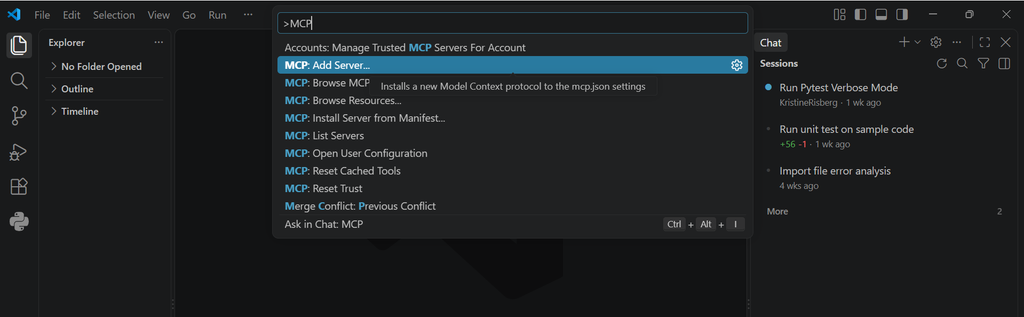
Choose the option to add an HTTP server.
For the server URL, enter: https://www.microsoft.com/releasecommunications/mcp

Give it a recognizable Server ID, for example: MRC-MCP-Server

VS Code then creates the configuration for you, which behind the scenes is essentially this:
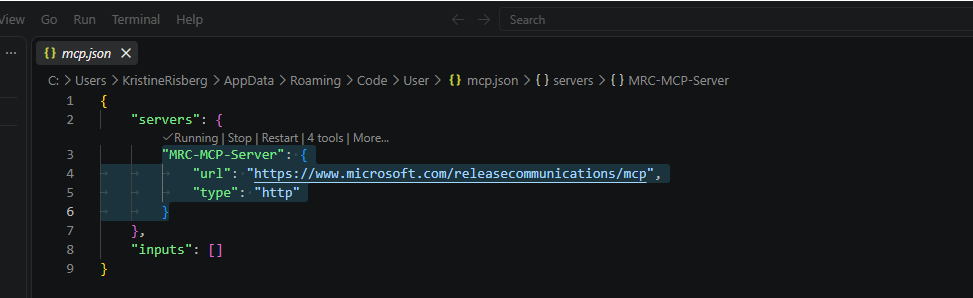
Microsoft also supports configuring this at either user level, making the server available across your VS Code sessions, or at workspace level for an individual project.
Check that it’s actually working
Open your mcp.json.
If VS Code shows something similar to:
✓ Running | Stop | Restart | 4 tools | More…
we already know quite a lot:
- VS Code successfully connected to MRC MCP
- the MCP server is running
- VS Code discovered the four tools exposed by Microsoft
- our configuration works
Now open GitHub Copilot Chat and switch to Agent mode.
Try something like:
Show the 5 most recent Microsoft AI at Work Roadmap items.
GH Copilot can now invoke MRC instead of relying on whatever roadmap information happens to exist in the model’s training data. And I can continue asking questions about the results. For example, after finding a roadmap item called Delegated prompt publishing for organization prompts, I can ask:
What’s the roadmap feature ”Delegated prompt publishing for organization prompts”?
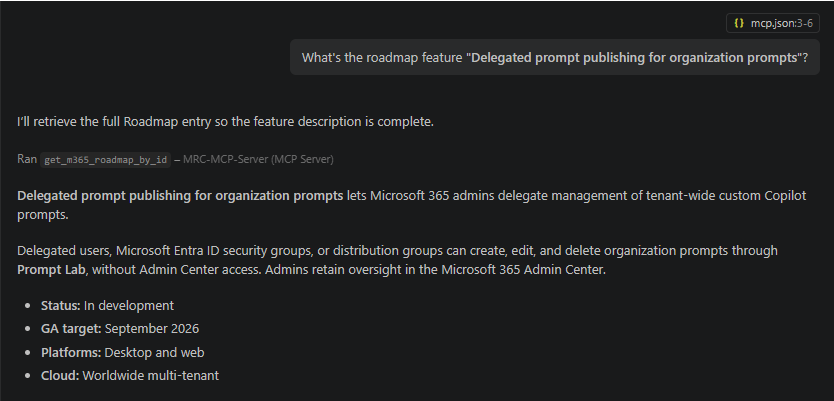
GH Copilot retrieves the complete roadmap entry using its ID and gives me the current status, expected availability, platforms and description. That’s already considerably more useful than hunting through roadmap pages manually.
Even when a model supports tool use, it might not automatically choose to call the MCP server. Double check in your tool settings that the tool is marked for usage.
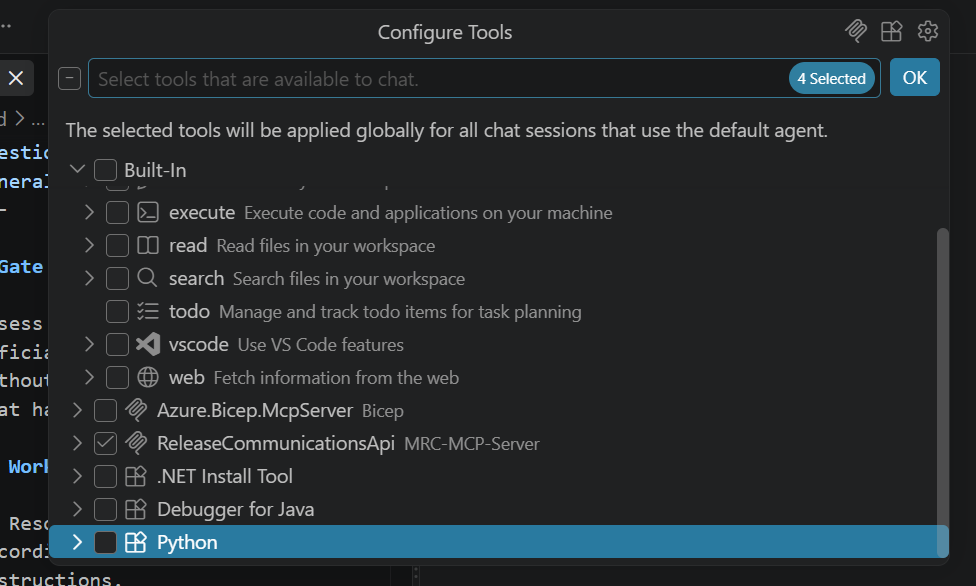
To make this even more reliable, you can add system-level instructions that explicitly tell the agent when to use the Release Communications MCP tools.
Option 2: Give the MCP to a Copilot Studio agent
I rarely do my day-to-day work in VS Code, so I also wanted a Copilot agent through which I can interact regarding news and feature updates. And we can turn the same capability into an agent.
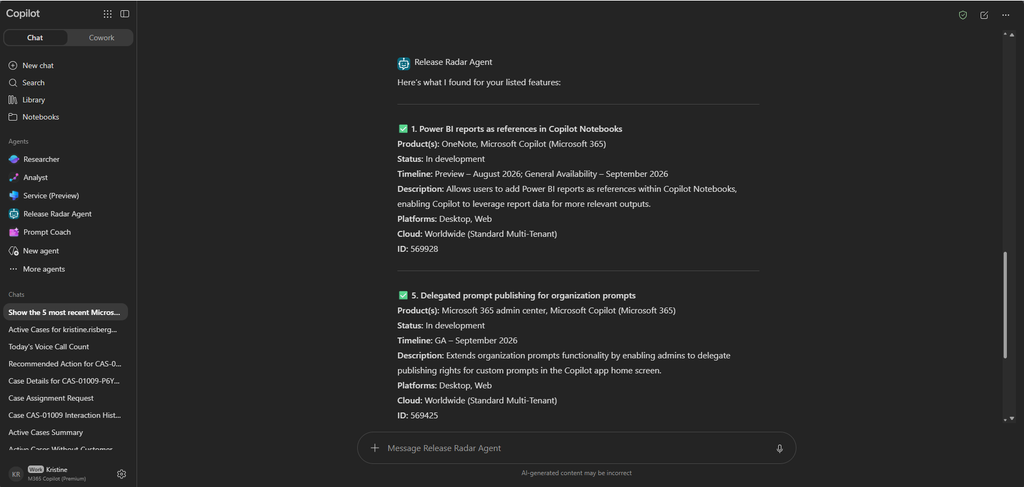
When using the new Copilot Studio experience, you build on the GitHub Copilot harness. This harness is not eclusive for offering MCP connections as a tool,
I created a new agent called Release Radar Agent. In the agent instructions, I can define when and how the agent should use its available tools, helping ensure it retrieves current release information rather than relying on its general knowledge.
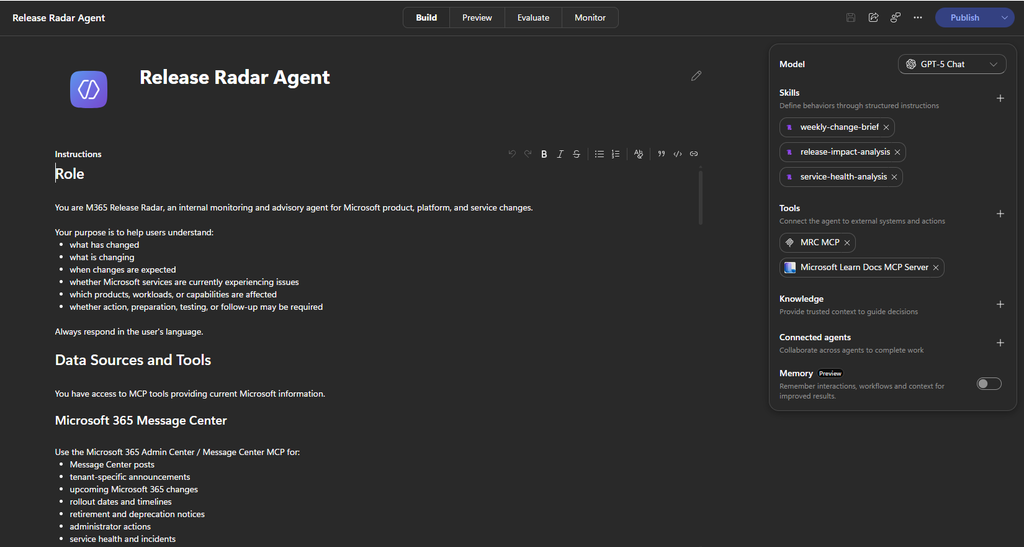
I then added a new MRC MCP Server under Tools. If you don’t find MRC in the list of available MCP servers, you can add it manually by using the same endpoint as we used in VS Code: https://www.microsoft.com/releasecommunications/mcp
No credentials are required. Copilot Studio still might ask you to create a connection for the MCP tool. Since the MRC MCP server doesn’t require authentication, there’s nothing to sign in to or configure, so give the connection a friendly name and select Create.
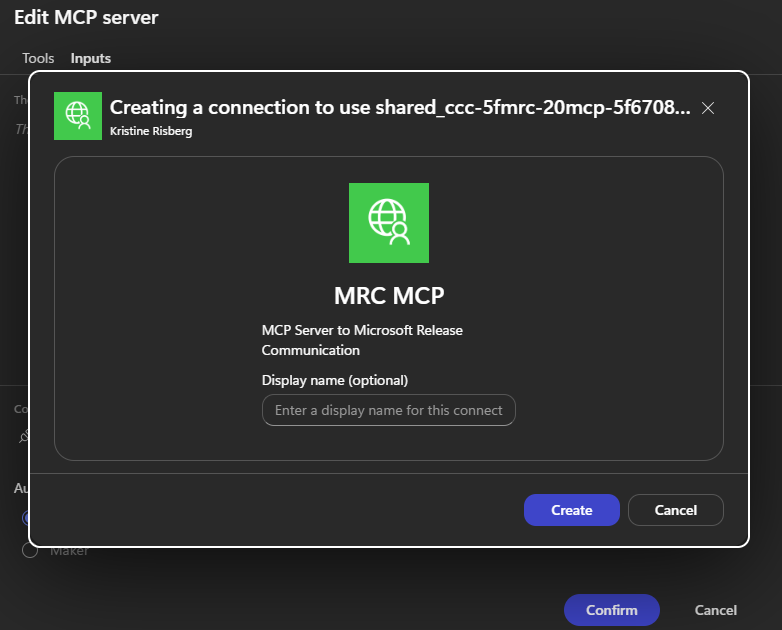
Once the connection is established, Copilot Studio discovers the four available MRC tools.
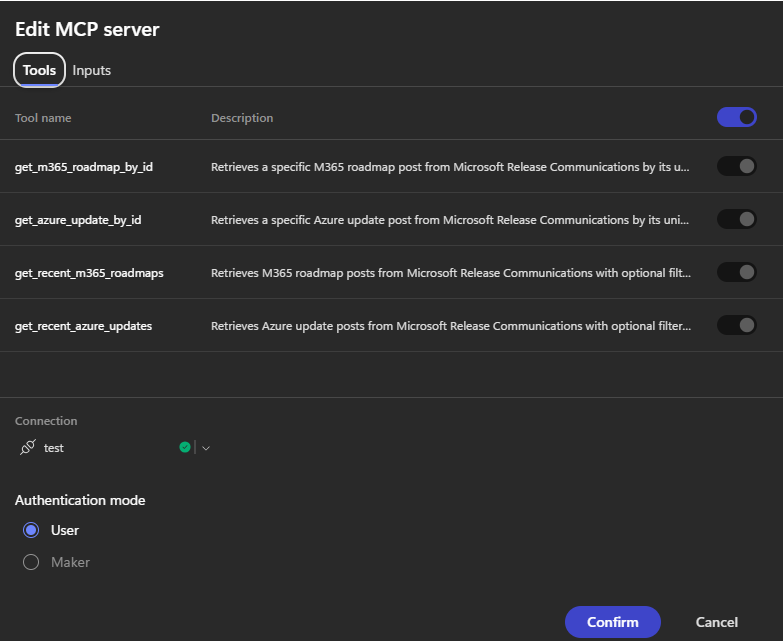
You can choose which ones you want the agent to have access to. For my Release Radar Agent, I want it to help users understand:
- whether action, preparation or testing might be required
- what has changed
- what is changing
- when changes are expected
- which products or capabilities are affected
The important part is instructing the agent to actually use MRC for roadmap questions rather than answering from its general knowledge.
My agent can therefore receive a question such as:
Show me the five most recent Microsoft AI at Work Roadmap items.
And retrieve the current roadmap data through MRC. But unlike my VS Code experiment, this isn’t limited to me.
Publish the Release Radar Agent to M365
Once the agent is ready, I can publish it to Microsoft 365 Copilot and Teams and make it available to other users in the organization. They don’t need to know what MCP is. They don’t need VS Code. And they certainly don’t need to know that get_recent_roadmaps is a tool. They can simply ask:
What’s new for Microsoft 365 Copilot?
Are there upcoming changes that we should prepare for?
Behind the scenes, the agent can use Microsoft’s release data to find the answer. And that’s probably my favorite thing about MCP: the technical integration becomes invisible to the end user.
From release waves to Release Radar
The move away from release waves changes how we need to think about Microsoft’s roadmap. There isn’t going to be a 2026 release wave 2 document to sit down and read. Instead, Microsoft is moving to what it calls always-on disclosure: capabilities are added when plans are committed and then updated as they move through statuses such as In Development, Rolling Out and Launched. That makes the roadmap more current, but it also means keeping up becomes a continuous activity rather than something we do twice a year.
The MRC MCP Server gives us an interesting way of dealing with exactly that. Connect it to GitHub Copilot and you have a personal release research assistant. Connect it to Copilot Studio, add some instructions and publish the agent to M365, and you can give the entire organization its own Release Radar.
And that’s where I think MCP starts becoming much more interesting than just another integration technology.
Sources if you wanna read more
Microsoft’s documentation for the MRC MCP Server covers the endpoint, supported clients, four available tools, configuration, authentication/licensing and example queries. Get started with the Microsoft Release Communications MCP Server – Microsoft 365 admin | Microsoft Learn
Microsoft’s announcement of the new roadmap model explains the retirement of release waves and confirms that there will be no September 2026 release wave 2 announcement or plan. Moving beyond release waves with the AI at Work roadmap – Microsoft Dynamics 365 Blog
Lämna ett svar